Phone Screen Burn-in: Causes, Solutions, and How to Fix the Issue
Many modern smartphones suffer from the issue of “screen burn,” a phenomenon that affects display quality and causes permanent shadows or color changes in certain areas of the screen. This is primarily due to prolonged use of static elements such as virtual buttons, icons, or even the status bar, leading to pixel fatigue and color distortion. This problem is a significant source of annoyance for users, as it reduces the quality of the viewing experience and negatively affects the market value of the device. It is essential to understand the causes of screen burn, the signs indicating it, the technical ways to diagnose it, the available solutions to address it, and the importance of consulting professional repair centers to ensure a successful and safe resolution that restores the phone’s efficiency and original appearance.
Contact WhatsApp for Mobile Repair
What is phone screen burn and why does it happen?
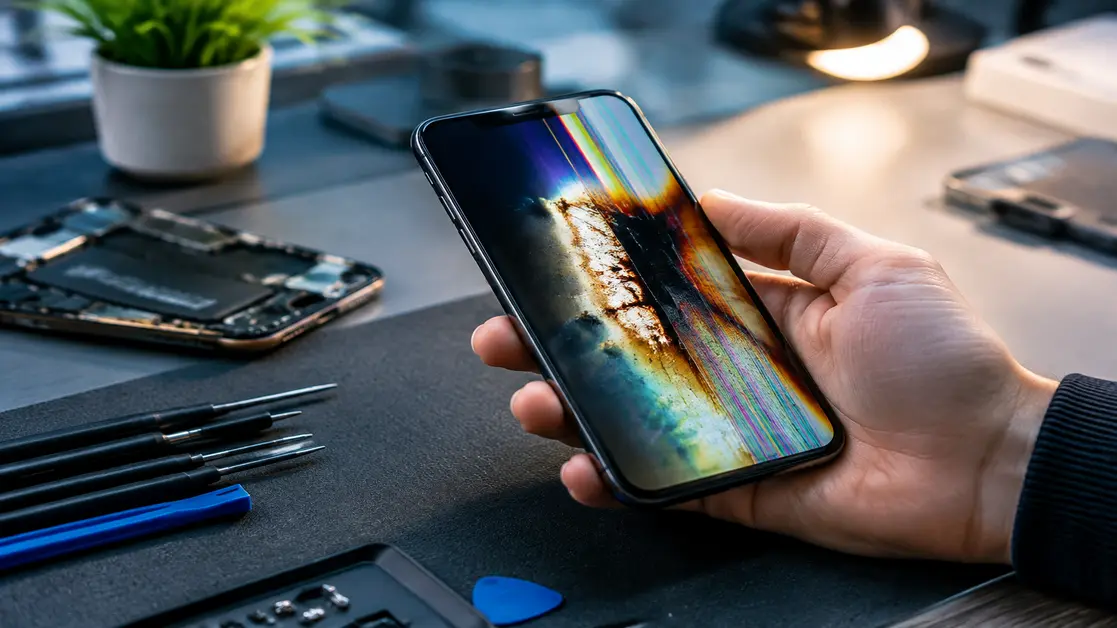
The term “screen burn” refers to the permanent effect of images, UI elements, or content appearing, causing specific areas of the screen to retain faint shadows that do not disappear even when the displayed content changes. This issue often arises in OLED, AMOLED, and Super AMOLED screens, and sometimes in certain mid-range LCD screens. It occurs due to the uneven consumption of screen pixels resulting from displaying specific images or colors for extended periods, leading to a decline in the effectiveness of these pixels and their inability to display colors accurately. The likelihood of screen burn increases with prolonged use of the device at high brightness or keeping static elements (such as the bottom navigation bar or notification bar) on display for continuous periods.
Main Causes of Phone Screen Burn
- Exposure to a static image for extended periods: Frequent use of applications or games that rely on static display elements leads to pixel fatigue and wear in specific areas.
- Continuous high brightness settings: Strong brightness accelerates the emergence of burn marks due to excessive consumption of pixels, especially in very bright environments.
- Manufacturing defects in the screen: Some screens come with inconsistent pixel quality or distribution or lack adequate protection against burn.
- Incorrect device settings: Disabling the automatic screen-off feature or not activating the dark mode for nighttime.
- Using the phone continuously to display repetitive content: Displays, illuminated advertisements, and phones used as surveillance cameras are more susceptible to damage.
How can you recognize the symptoms of screen burn?
The first signs that users notice are the persistence of shadows from previous content—such as text or icons—even after switching to new menus or applications, and this is often observed in areas like the status bar or navigation buttons. Faint lines, unstable colors, or unusually dark or light areas may appear. Sometimes the burn becomes very evident when displaying a white or gray background, reducing image clarity and sharpness, and distorting the experience of viewing images or watching videos.
Accurate Diagnostic Methods for Screen Burn Issues
- Visual inspection: Displaying a white or gray background on the entire screen to check for any fixed shadows or color distortion.
- Using screen testing applications: There are specialized applications that display solid colors, which help in revealing burn accurately, such as color line tests or geometric grids.
- Inspection at a professional repair center: Employing advanced testing devices to accurately measure pixel performance and detect any permanent changes.
The Impact of Screen Burn on Phone Experience and Market Value
Screen burn directly affects the enjoyment of using the device; the presence of images or static elements, even if faint, causes visual disturbances and distracts the user while watching videos or browsing images. Additionally, burn reduces the attractiveness of the device when trying to sell it as a used item, as the defect is a significant factor in lowering its price considerably. Moreover, there is a possibility of the burn progressing to partial or total screen damage over time if not addressed or if usage behavior is not modified.
The Importance of Professional Maintenance to Address Screen Burn Issues
Some users may attempt to fix the problem using unprofessional methods or by relying on applications that claim to “repair burn” by running certain colors for extended periods; however, the effectiveness of these methods is limited and often does not compensate for the actual damage that has occurred to the pixels. The definitive and recommended solution is to consult a specialized maintenance center that has the expertise and professional tools to diagnose the issue and assess its severity, as some cases may require a complete screen replacement or the repair of specific components. Securing high-quality original spare parts ensures long-lasting performance and restores the phone to its original appearance without additional issues.
When should you consult a specialized repair center?
- When noticing persistent shadows or unusual marks on the screen that do not disappear when changing applications or rebooting.
- If the issue spreads to more than one area on the screen or if colors begin to appear inconsistently.
- When home repair attempts fail to reduce or eliminate the shadows.
- To avoid exacerbating the issue and turning it into a complete screen failure or loss of core functions.
Steps to Repair Screen Burn Issues at Specialized Repair Centers
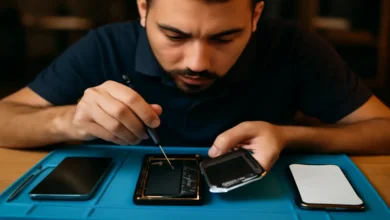
- Thorough screen inspection: Using pixel analysis devices to measure the severity of damage and determine the possibility of repair.
- Software treatment (if the issue is very minor): Attempting to run changing colors or specific programs for many hours to try to restore pixels.
- Screen replacement: If the burn is significant or permanently marked, the old screen is removed and replaced with another original or high-quality screen, with testing performed after installation.
- Maintenance warranty: Providing the customer with a genuine warranty on replaced parts and the proper functioning of the new screen.
Advantages of Choosing a Professional Repair Center in Jordan for Screen Burn Treatment
- Provision of original or high-quality parts: Importing and equipping original screens with guaranteed specifications compliance.
- Specialized technical expertise: A team of skilled technicians capable of dealing with various types of modern screens.
- Accurate diagnostics: Using testing devices that ensure identifying faults without exposing the phone to risks.
- Quick turnaround: Providing fast maintenance service without compromising work quality.
- Warranty and transparency: Offering an official warranty after maintenance, with a detailed explanation of what was replaced or repaired for the user.
- Comprehensive support service: Guiding customers on preventive measures after repair and providing tips for the optimal use of the new screen.
Practical Tips for Preventing Screen Burn and Extending Its Lifespan
- Reducing screen brightness to the minimum suitable for the surrounding light and not using it at full brightness except in extreme cases.
- Activating the automatic screen-off feature after a short period of inactivity (from 30 seconds to 2 minutes).
- Setting the night or dark mode in applications and the system to limit the display of static bright colors.
- Avoid displaying the same static content for long periods, especially in apps or games.
- Changing the positions of static tools periodically and frequently altering the background.
- Monitoring screen performance periodically and resorting to maintenance centers upon noticing any changes.
Frequently Asked Questions
What is the difference between screen burn and dead pixels?
Dead pixels refer to small points on the screen that do not work at all and remain black or a single color, while screen burn consists of shadows or marks from elements displayed for a long time that cause color changes in entire areas, and their effects are usually broader and more obvious than dead pixels.
Does screen burn repair always succeed without replacing the screen?
The outcome depends on the extent of the damage; in cases of very light burn, attempts at software treatment may improve the effect, but in cases of permanent or advanced burn, replacing the screen is often required to achieve ideal and lasting results.
Are AMOLED screens more prone to burn than LCD screens?
Yes, OLED, AMOLED, and Super AMOLED screens are more susceptible to burn due to the nature of pixel composition and the absence of constant backlighting as found in LCD screens, thus requiring more care and preventive measures.
Does burn affect touch performance on the screen?
Generally, burn does not affect the touch function unless the damage has escalated and caused problems in the touch layer itself; burn is limited to the image and color display but does not affect the screen’s responsiveness to commands.
Are repair shops capable of fixing all cases of burn?
Modern techniques address some minor cases, but deep and permanent burn cases often require screen replacement to maintain the quality and credibility of service provided to the user.
What about the warranty after changing the screen due to burn?
Professional repair centers provide an official warranty on the new screen and comprehensive inspection, giving the user peace of mind and confidence in the quality of maintenance and origin.
Are the “burn repair” applications available in stores really effective?
These applications might temporarily help alleviate slight or recently occurring burn, but they do not repair structural damage or fully restore the function of burnt pixels. Relying solely on them may delay the appropriate treatment.
What is the best way to reduce the risk of future screen burn?
The best solutions are to adjust brightness settings moderately, activate preventive features such as automatic off, and use dark mode, and ensure the distribution of application usage so that the same displayed elements do not remain for long periods.
Are there differences in the quality of replaced screens between repair centers?
Certainly, the quality and prices of original and counterfeit screens vary, and it is always recommended to choose a repair center that offers high-quality screens subject to warranty, with professional installation by specialized technicians.
Conclusion
The danger of phone screen burn lies in its continuous negative impact on the user experience, whether while browsing applications or viewing images and videos. Understanding the causes behind this phenomenon and paying attention to early symptoms and addressing them promptly protects the device from damages that may affect its basic functions or its value at resale. Effective solutions begin with altering usage behavior and following preventive tips, and do not end until reviewing a specialized repair center that provides original parts, professional technicians, and guaranteed service. Your smart choices today will ensure your phone has brilliant performance and a clear screen for a longer time.