Why Is Your Phone Stuck on Silent Mode? Causes and Solutions
The loss of sound in a smartphone is one of the most annoying faults that directly affect the user’s experience, especially when it comes to important calls, urgent notifications, or even when watching videos and listening to audio files. Whether the fault appears suddenly or gradually, users often first try to look for self-solutions, while some cases may require the intervention of a certified maintenance expert who has the necessary diagnostic tools and experience to effectively address the problem. Specialized centers like “Action Repair” in Jordan provide comprehensive technical solutions for sound issues in phones, starting from accurate diagnostics using advanced devices, down to performing the necessary repairs with a quality guarantee. In this article, we analytically review the causes of the sound disappearance problem in phones, how to diagnose and solve it, and the importance of professional maintenance in maintaining device performance.
Contact WhatsApp for Mobile Repair
Common Factors Leading to Phone Sound Disappearance and Their Impacts on Daily Use
The reasons behind the disappearance of phone sound vary from simple and easy-to-solve issues to more complex ones that may relate to internal hardware components or software problems. The absence of sound directly affects the nature of the user’s interaction with their device, making it difficult to receive calls or take advantage of notifications and reminders, in addition to interruptions in entertainment functions like playing audio clips and videos. Hence, the importance of correct and rapid diagnosis arises to prevent the problem from worsening and affecting the phone’s integrity.
Activating or Overlapping Sound Modes: The Impact of Simple Errors on Phone Performance
One of the most common reasons for the disappearance of phone sound is the unintentional activation of silent mode or do not disturb mode. This often happens when pressing the device buttons or through changing settings without the user’s knowledge, leading to all sounds being muted except for the alarm sometimes. Despite their simplicity, these issues can waste the user’s time in searching for complex solutions or heading to maintenance centers unnecessarily.
- Resetting sound settings through internal menus.
- Trying to increase the volume using the side buttons and observing the response.
- Turning off do not disturb mode if activated to re-enable notifications and sounds.
Ignoring this simple step may lead to wasting time or even incurring unnecessary maintenance costs, hence it is advised to first check the system sound settings.
Automatic Connection via Bluetooth: How Wireless Connectivity Can Mute Sound Internally?
Smartphones use Bluetooth to connect to wireless headphones or car systems, and sometimes the phone remains connected to the external device even after exiting the coverage area. This causes all sounds to be directed to the connected accessory, leading to the absence of sound from the internal speaker of the phone, explaining the disappearance of sound even when the volume is raised from the settings.
- Disconnecting all Bluetooth-connected devices to experience the phone’s internal sound directly.
- Restarting the phone if the issue persists to reload the sound definitions.
- Checking if any applications are running that may be controlling the device’s sound.
If not addressed early, these cases may lead to a continued feeling that the phone is malfunctioning, while the problem is either external or just related to the settings.
Dust and Dirt Buildup: The Gradual Impact on Sound Quality
With daily use and exposure of the phone to different environments, impurities and dust may accumulate inside the speaker ports and sound amplifiers. Over time, this causes sound to gradually weaken, potentially leading to its complete absence, especially if the device is neglected during cleaning. Using random dust removal tools may damage the speaker or push dirt deeper into the device.
- It is recommended to use specialized and soft cleaning tools to avoid scratches or damage to delicate components.
- Avoid inserting pins or sharp tools into the openings to reduce the likelihood of internal injuries.
- In cases of severe blockage, it is preferable to go to a certified maintenance center for a professional and precise cleaning process.
Neglecting to clean sound ports not only affects listening capability but may also cause the device to overheat or weaken other functionalities related to the speaker components.
Internal Sound Component Faults: When Accurate Diagnosis is the Only Solution
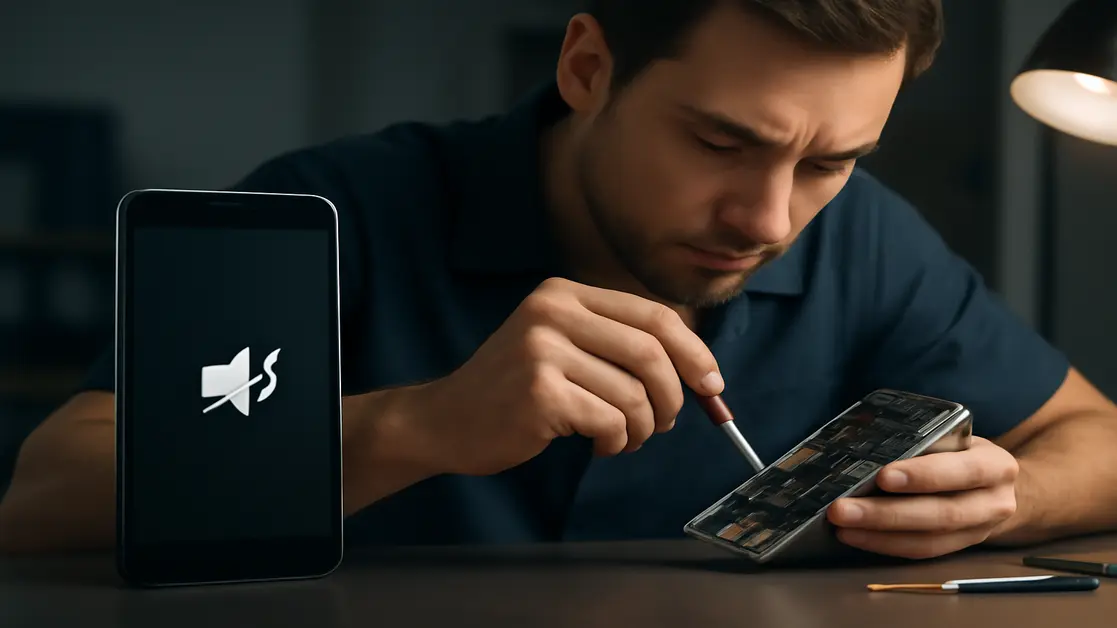
Some of the most serious technical issues are related to damage to the speaker due to shocks to the phone, or the entry of water or liquids into the device. These malfunctions do not always manifest immediately; sound may suddenly stop or begin to distort gradually. In such cases, the true value of specialized maintenance centers lies in their ability to:
- Use advanced diagnostic tools to accurately discover faults without needing to dismantle the entire device.
- Replace damaged speakers or components with original or high-quality parts that ensure sound quality and stable long-term usage.
- Retest the device after the maintenance process to ensure that the problem is completely resolved without side effects.
Neglecting these faults or relying on unreliable parts threatens the safety of the phone and may lead to additional problems later on.
Operating System Glitch or Application Conflicts: When Is the Solution Programmatic?
Sometimes the malfunction is not related to physical components but due to an error in a system update, or the installation of an application that caused a conflict in sound settings or media management. In these cases, the resolution steps are more programmatic than technical, such as:
- Restarting the phone system to remove temporary faults within the short memory.
- Installing the latest system updates to correct software errors.
- Removing or disabling new applications that appeared after the problem arose.
- Resetting sound settings to default configurations.
If the problem persists after executing these steps, it is essential to consult a specialist with software inspection tools to read system logs and diagnose the cause accurately, as is provided by Action Repair Center.
The Importance of Professional Maintenance in Preserving Sound Quality and Phone Lifespan
Many users resort to superficial solutions or unprofessional providers, only to be surprised by the worsening of the problem or the emergence of other faults. In contrast, professional maintenance means:
- Comprehensive and accurate diagnosis of all sound components and related accessories.
- Identifying the source of the fault, whether structural in hardware or functional in software.
- Using inspection tools and advanced devices that reduce the likelihood of errors or data loss during repair.
- Relying on original or certified spare parts that maintain sound quality and long-term performance of the device.
- Providing services with an official warranty and a pledge to redo the work if needed.
Good maintenance is not just a quick fix, but an investment in the overall lifespan of the device, increased reliability, and user data protection.
Services Offered by Action Repair Center in Addressing Sound Issues and Their Key Technical Advantages
The “Action Repair” center boasts a strategic location in the seventh circle and offers a wide range of services for repairing sound faults in smartphones of all types. The key strengths offered by the center can be summarized as follows:
- Accurate device inspection using advanced audio diagnostic tools.
- Professional and risk-free cleaning of internal speaker ports and systems.
- Comprehensive diagnosis of hardware faults related to the sound card or motherboard.
- Resolving software issues through system resets or software updates.
- Replacing damaged speakers and components with original or high-quality parts with a guarantee.
- Speed in execution with the possibility of inspection and repair on the same day for urgent cases.
The center is keen to provide a complete and safe maintenance experience, whether through in-shop repairs or offering technical advice on proper usage to decrease the chances of the problem recurring in the future.
How Ignoring Sound Issues Affects Phone Performance and User Comfort?
Failure to address the disappearance of sound immediately exposes the phone user to a series of intertwined problems:
- Loss of important alerts and notifications that may be related to appointments or urgent events.
- Difficulty in completing professional and personal communications, whether at work or in emergency situations.
- Deterioration of the entertainment experience due to losing the ability to enjoy music or video.
- The risk of deterioration of the fault to include additional components if the device continues to be used with an internal technical defect.
Moreover, always try to inspect the phone immediately after the problem arises to avoid additional damage that may later require more costly repairs or endanger essential data during parts change operations.
Practical Guide: Initial Steps Users Can Try Before Visiting the Maintenance Center
The first action to take when a sound problem in the phone appears is to conduct some simple tests that may resolve the issue or at least help in determining its nature, such as:
- Turning off the phone and restarting it to clear temporary system errors.
- Ensuring that sound levels are high enough for media, calls, and notifications.
- Ensuring that no headphones or devices are connected via Bluetooth.
- Checking the external headphone ports and removing visible dust using a soft, dry brush without inserting sharp tools.
If the device does not respond after implementing these steps, this is an indication that it is necessary to consult a certified maintenance center to avoid worsening technical faults.
Comparison between Self Maintenance and Professional Maintenance: When Should Each Option Be Used?
| Type of Procedure | Pros | Cons |
|---|---|---|
| Self-repair (at home) |
|
|
| Maintenance at a certified center like Action Repair |
|
|
It is important to accurately assess the situation to choose the best solution that balances cost, safety, and ensures the phone’s performance remains efficient.
Frequently Asked Questions About Sound Problems in Smartphones and Maintenance Solutions at Action Repair Center
What causes the phone sound to suddenly disappear without clear reason?
The sudden disappearance of the phone’s sound is often caused by accidentally activating silent mode or connecting the device to Bluetooth headphones without the user’s knowledge, and there is also the possibility of an unexpected glitch in the software or a malfunction in the internal speaker due to shock or liquid entry.
Can the sound disappearance problem be solved without the need for professional maintenance?
In some cases, restarting the device, raising the volume, ensuring Bluetooth is turned off, or cleaning external ports may suffice. However, if sounds do not return after these attempts, this is an indication that a specialized maintenance center needs to be consulted.
What signs indicate that the problem is with the speaker and not in the settings?
When the user is unable to hear any sound even with all volume indicators raised and silent mode and Bluetooth turned off, or when there is distortion and intermittent sound, the problem is often with the internal components of the speaker and requires specialized technical inspection.
What are the risks of trying to repair the speaker at home without expertise?
Attempting to clean or repair the speaker in an unprofessional manner may result in damage to the delicate components inside the phone, or pushing dust deeper, or losing part of its basic functionality, as well as losing the device’s official warranty.
What technical services does Action Repair Center offer to address sound malfunctions?
Action Repair Center provides comprehensive services including advanced electronic diagnostics, cleaning speakers and ports, repairing internal boards, addressing software issues, and replacing broken parts with original or high-quality spare parts with a warranty.
How long does it take to repair a phone speaker at Action Repair?
In most simple to medium cases, sound-related faults are repaired within the same day or within a few hours thanks to the availability of tools, spare parts, and the technical expertise of the repair team.
What warranty does the center provide after performing sound repairs?
Action Repair provides an official warranty on repairs that includes the quality of replaced parts and the correctness of the work done, with a commitment to free re-examination if the same problem recurs during the warranty period.
How can one ensure the use of original parts during maintenance?
All parts used at Action Repair Center are documented and certified by the company, and the customer is informed about the specifications of the parts before installation, with invoices and part numbers kept for transparency and to ensure customer rights.
Can ignoring the repair of a sound fault lead to other faults in the phone?
Yes, continued use with a sound problem may affect the durability of other components due to moisture accumulation, dust buildup, or worsening electronic malfunctions; hence it is always advised to quickly inspect and repair.
What are the tips for maintaining phone sound performance and avoiding repeated faults?
It is advisable to avoid exposing the phone to moisture or dust, conduct regular cleaning of ports using appropriate tools, update the system continuously, and choose a certified maintenance service provider when any malfunction appears to ensure the same problem does not recur.
Conclusion
Sound malfunctions in smartphones represent more than just an annoyance, as they are directly linked to communication capability, data security, and the complete enjoyment of the device’s features. In this article, we addressed the main factors causing sound disappearance, outlining a practical guide for initial handling of the issue and maintenance options between self and professional. We emphasized the pivotal role of specialized centers like “Action Repair” in accurately diagnosing faults, selecting certified spare parts, and ensuring quality service. We recommend not hesitating when facing such faults, as early diagnosis and repair contribute to preserving the phone’s lifespan and optimal performance. The relationship with reliable maintenance centers is not merely a solution to a transient problem, but a long-term investment in the stability and quality of your smart device.