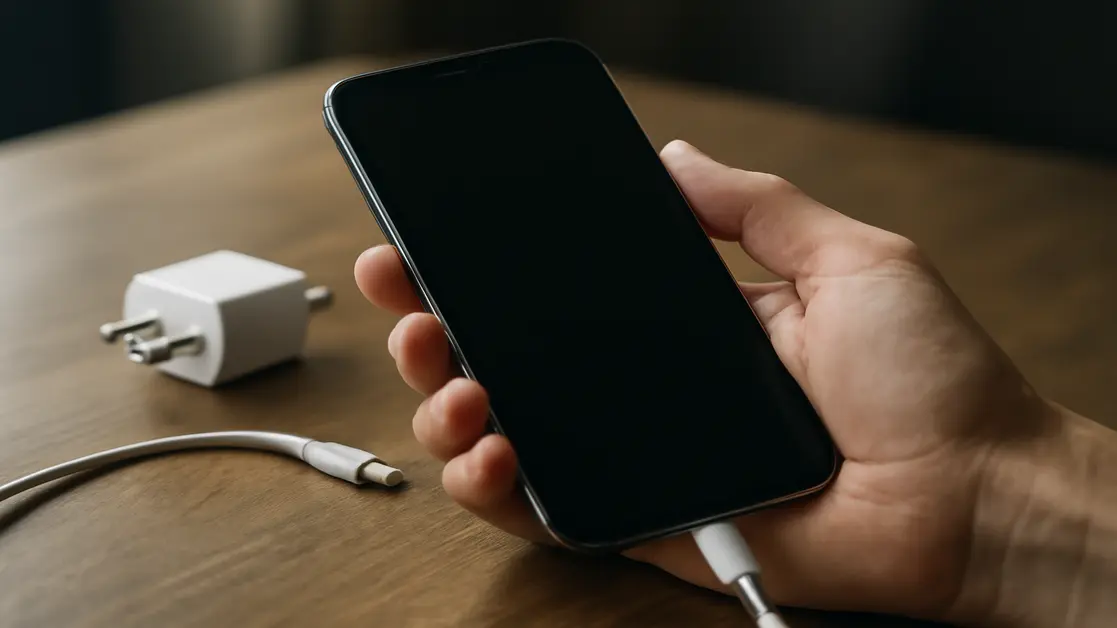
Why Does Your Phone Suddenly Turn Off and Refuse to Turn On? Causes and Solutions
Have you ever faced a situation where your smartphone suddenly turns off without warning, and you found yourself unable to get it back to work despite having a good battery percentage? This issue is common among users in Jordan and elsewhere around the world, and often raises concerns, especially when access to data is lost or communication is interrupted during important moments. There are various reasons behind a phone’s sudden shutdown, some relate to simple problems that can be fixed without much effort, while others require the intervention of specialized repair technicians due to their association with sensitive components such as the battery or motherboard. In this article, we will review everything you need to know about the malfunctions that may cause your phone to stop functioning, self-diagnosis methods, and when to resort to specialized repair centers like the “Action Repair” center in Jordan, along with essential tips to avoid recurring issues and keep your phone in the best possible condition.
Contact WhatsApp for your mobile repair
Analyzing the Causes of Sudden Smartphone Shutdowns
The shutdown of the phone does not happen randomly; there is a technical reason behind every case that requires thought and analysis. Some of the main reasons that lead to the phone disconnecting without warning are:
- Battery degradation: Every battery has a limited lifespan after which it begins to lose its efficiency, and you may notice that the phone shuts down while showing a high percentage of charge sometimes.
- High temperatures: Excessive heat exposure to the phone from either the processor or battery can sometimes lead to shutdown as a self-protection mechanism.
- System and application issues: Deep software errors or malfunctions may cause the phone’s system to turn off.
- Faults in electronic circuits or the button: Sometimes the cause is a malfunction in the power button or the internal board of the device.
- Damage from drops or moisture: Some accidents may not show effects immediately, and later cause the problem of repeated phone shutdowns.
Symptoms of Malfunctions Related to Sudden Shutdown
The user may notice some signs that indicate a potential malfunction that could cause the device to stop working, and the most important indicators are:
- Rapid decrease in battery level at an unusual rate.
- Repeatedly restarting the phone without user intervention.
- Noticeable heat in the back or top of the device during use.
- No response when trying to turn it on even with a charger connected.
- Sudden malfunctions or stoppages in some system functions or applications.
Noticing these indicators early on facilitates the diagnosis process and reduces the likelihood of damage developing into more serious stages that affect the phone’s life.
Details of Technical Malfunctions and Their Impact on the Phone
1. Battery Expiration
The battery is the most consumed component in the phone’s life cycle. With repeated charging and discharging cycles, the battery gradually loses its storage capacity, until it starts sending incorrect signals to the operating system about the charge level, which can sometimes lead to sudden shutdowns or failure to provide sufficient power. Continuously ignoring the need to replace a faulty battery not only affects performance but may harm the motherboard and the phone’s ability to manage charging in the future.
2. Excessive Heat and Self-Protection
All modern processors are equipped with temperature monitoring systems, where the phone’s system automatically shuts down whenever the temperature rises to levels that may threaten internal components or the battery. Users should be aware of habits that unnecessarily increase the device’s temperature, such as using heavy games or applications for long periods or using the phone while charging, as neglecting these behaviors can hasten the onset of chronic malfunctions.
3. Operating System or Application Crashes
Sometimes incomplete system updates or application conflicts can lead to errors that cause repeated restarts or complete failure to boot the phone. These software malfunctions negatively impact the user experience and put user data at risk if they are recurrent and prevent access to the phone or system files completely.
4. Power Button and Its Electronic Circuits
Some may underestimate the damage to the power button or its related circuits, but this issue can often lead to the phone shutting down unintentionally or disabling the restart capability. Dealing with these malfunctions requires practical experience to avoid causing more damage when attempting to repair or replace the component without professional tools.
5. Damage from Liquids or Drops
Momentary electrical interruptions or loss of connection between motherboard components are common after exposure to drops or water entering the phone. Fine parts like resistors or data lines may get damaged, and symptoms of sudden shutdown may appear after some time from the incident. Neglecting to quickly address the effects of water or moisture increases the risk of rust spreading or short-circuiting in the circuits, which may lead to the phone completely failing.
How to Diagnose the Cause of Phone Shutdown and When to Go to a Repair Center
Accurately identifying the source of the problem is the first step towards a permanent solution. The user can conduct some preliminary checks to distinguish between simpler malfunctions that can be self-treated and those that require more advanced technical procedures:
- Test the phone with an original charger and cable, ensuring the connection is firmly secured.
- Try force restarting the phone by holding down the power and volume down buttons for 10 seconds.
- Leave the device to cool down if it is hot and do not attempt to hasten cooling by placing it in extremely cold spots.
- Try safe mode to see if one of the applications is the cause of the malfunction.
- Carefully clean the charging port from any impurities or dust that may impede electrical contact.
If these measures do not yield results, technical inspection becomes a necessity, especially if you notice the problem recurring without it being linked to a specific behavior or application or after a drop incident or exposure to liquids.
Practical Steps to Solve the Sudden Phone Shutdown Problem
The most effective solutions recommended to try before visiting the repair center can be summarized in the following steps:
- Extended Charging: Sometimes the battery needs an initial setup, so it’s advised to connect the device to the charger for at least 30 minutes while using original charging accessories.
- Activate Forced Restart: This method helps reload the system in cases of temporary stops or temporary system errors.
- Check Ventilation: If the device is hot, remove any protective cover and allow it to air out in a moderately warm place.
- Switch the Charger or Socket: The power source may be the problem, so try another charging outlet at home or a replacement charger.
- Safe Mode: This allows isolating external applications to investigate if one of them is the cause of the issue. If the phone works without problems, delete recently installed apps in sequence until the issue disappears.
Do not forget to take note of any observation or change that occurs on the device during these steps, as this will aid in explaining the condition to the repair technician to expedite the diagnosis process.
The Role of Modern Repair Centers in Addressing Advanced Malfunctions
When the issue goes beyond home repair limits, the importance of experienced centers such as “Action Repair” in the seventh circle – Amman becomes clear. Dealing with damaged batteries or electronic boards requires precise equipment and work methods that are not available to the average consumer. The added value of professional centers lies in:
- Conducting comprehensive diagnostics using advanced devices that can accurately identify the type of malfunction at the electronic circuit level.
- Replacing damaged batteries with certified and original spare parts, which maintains battery and device performance in the long run and avoids charging malfunctions.
- Addressing each chip of the motherboard components and fixing any software issues through safe updates or reinstalls of the operating system without data loss if possible.
- Testing all functionalities of the phone after maintenance to ensure the device returns to normal performance and system stability.
Relying on centers with extensive experience saves time and prevents users from incurring costs associated with recurring malfunctions or side effects resulting from unprofessional maintenance.
Advantages of Action Repair Center Compared to Competitors
Choosing the right repair center makes a noticeable difference in the smartphone repair experience in Jordan. Below are some of the advantages offered by Action Repair Center:
- Technicians trained on the latest smartphone models and electronic inspection techniques.
- Providing reliable and certified spare parts, ensuring longer device longevity.
- Quick service completion and transparent reports on the causes of malfunctions and repair methods.
- Offering a warranty on maintenance services to reassure clients about the effectiveness of the repairs.
- Communicating with clients in a high-standard service and updating them on repair stages and device status.
These standards ensure that smartphone users receive a professional maintenance experience and reduce the risks of future malfunctions or data loss.
Hidden Risks of Neglecting Sudden Shutdown Issues
Some users may see the repeated shutdown of the phone as a problem that can be temporarily ignored, but this neglect carries serious risks, including:
- Damage to the battery to the point of swelling or chemical leakage, exposing the device to the risk of burning.
- Permanent damage to the motherboard lines due to overcharging or constant heat.
- Loss of personal data or important work files due to sudden disconnection.
- Exposing the phone to attempts at unprofessional maintenance, making future repairs difficult or increasing costs.
Repairing malfunctions at the outset through a specialized center not only protects the device but also saves time and money and preserves data.
The Real Value of Using Original Spare Parts in Phone Maintenance
The quality factor in spare parts is the essence of professional maintenance. Using low-quality batteries or replacement parts may result in:
- Decreased phone performance speed or reduced usage time between charges.
- Compatibility issues with the device’s operating system leading to recurring software malfunctions.
- Increased likelihood of charging port or power socket damage due to electrical mismatch.
- Higher chances of thermal damage or circuit failure during intensive use.
Therefore, Action Repair Center uses certified components and parts from companies to ensure the safety and stability of the phone after repair.
Practical Tips for Maintaining Your Phone’s Lifespan and Avoiding Unexpected Shutdowns
- Avoid using the phone while charging for long periods, especially with heavy applications.
- Make sure to keep the phone away from high heat sources or direct sunlight.
- Regularly update the operating system and only use trusted applications.
- Periodically check the battery for discharge speed or signs of heat.
- Directly consult repair centers if any of the aforementioned malfunction symptoms appear and home solutions do not resolve the issue.
Comprehensive Inspection and Repair Services from Action Repair
Action Repair Center offers you a comprehensive service starting from thorough battery and motherboard inspection, through addressing software malfunctions, to replacing every defective part with high-quality alternatives. Advanced technical devices for inspection allow accurately identifying the original malfunction, providing a final repair that guarantees the device continues to operate steadily and safely.
| Service | Benefit to the User | Average Execution Time |
|---|---|---|
| Battery Inspection | Determine the battery’s condition and its ability to hold charge over time | 15-30 minutes |
| Motherboard Diagnosis | Detect any damage or electrical short circuits in the electronic circuits | 30-45 minutes |
| System Software Repair | Restore full system stability and ensure smooth application performance | 20-40 minutes |
| Replacement of Battery or Faulty Parts | Ensure strong performance and prolong the device’s lifespan | From 30 minutes to two hours depending on the type |
Frequently Asked Questions Section
What are the signs that my phone’s battery needs replacement?
Some of the most important signs indicating battery deterioration include: the phone turning off suddenly despite a high charge percentage, rapid decrease in charge, battery overheating during use or charging, or the device repeatedly restarting without a clear reason. All of these indicators warrant inspection or replacement of the battery to maintain the quality of the phone’s performance.
Can I fix the phone’s shutdown issue without needing a repair technician?
In some simple cases, yes, by charging the phone for a sufficient period using an original charger, checking the cable and socket, force restarting the device, trying safe mode, or cleaning the charging port from dust. If these solutions do not work or the issue persists, it is better to go to a specialized repair center.
What are the risks of turning on the phone after it fell in water or was subjected to shock?
Attempting to turn on the phone after water exposure could lead to wider damage to the motherboard or battery due to electrical short circuits. In this case, it is advisable to disconnect the power from the phone, do not turn it on at all, and quickly head to a specialized technician to dry the device and inspect it before turning it back on.
How can I tell if a specific application is causing the device to shut down?
The easiest solution is to activate safe mode on the phone, where all external applications are temporarily disabled. If the sudden shutdown issue disappears while working in safe mode, it is likely that a recently installed application is the cause, and the suspect application(s) can be deleted gradually until normalcy returns.
Does updating the operating system help reduce sudden shutdown issues?
In certain cases, updating the operating system can help address bugs or software vulnerabilities that may cause the device to automatically restart or shut down suddenly. It is advised to ensure the update is fully completed and downloaded only from trusted sources, and to avoid interrupting the update process once it has started.
What advantages does Action Repair Center offer compared to other centers?
Action Repair Center provides accurate technical diagnostics using advanced inspection devices, offers original spare parts with repair guarantees, enjoys speed in execution, has specialized technicians experienced in all matters related to smartphone malfunctions, and provides customers with a warranty on the maintenance process and professional interaction at all service stages.
Does using non-original charging accessories cause device shutdown issues?
Yes, relying on non-original or low-quality chargers and cables can lead to unstable electrical currents that cause excess loading on the battery or motherboard, thereby increasing the risk of the phone shutting down suddenly, or even damaging the charging ports.
What is the impact of software malfunctions on data loss during repeated sudden shutdowns?
If the phone shuts down unexpectedly repeatedly, the likelihood of losing unsaved data increases, along with potential damage to system files, making recovery of files difficult or impossible in cases of advanced malfunctions. Therefore, it is always advisable to regularly back up data.
When should I immediately consult a repair center and not attempt to self-repair the issue?
If you notice that the problem persists despite trying all self-help solutions, or if the sudden shutdown is accompanied by severe overheating or signs of battery damage, or after the phone has sustained water exposure or a strong fall, prompt technical intervention is essential to avoid further damage and the risk of permanent device failure or data loss.
Does having the phone repaired at non-specialized centers affect its lifespan?
Non-professional maintenance using low-quality parts or by technicians with limited experience often increases the likelihood of future device malfunctions and reduces performance efficiency and adversely affects the phone’s lifespan, which is why it is important to choose centers with a good reputation and a specialized team to maintain the quality and reliability of the phone.
Conclusion
Sudden phone shutdowns are often not an incidental issue, but a signal of a technical or software malfunction that needs careful inspection and analysis. Addressing this problem starts with user awareness of danger signals and quick action, whether through following simple home steps or seeking a professional repair center equipped with modern tools and experienced technicians. Centers like Action Repair ensure you understand the real cause of the problem, fix the malfunction using the best parts and expertise, and provide a warranty after the repair without risking your data’s safety or your device’s lifespan. Remember that early care for the phone prevents the development of malfunctions and prolongs its lifespan, so be proactive in taking the right step and do not hesitate to consult experts whenever needed.